A small coffee shop that started to have many customers and long queues due to the accumulation of the number of visitors at one time. This problem makes customers need to wait much longer just to have a seat in the coffee shop.
Main Objective
Based on the problem, I have a hypothesis that the main root is the accumulation of customers at one time. So I need to distribute the customer visit to decrease the peak number at only one time.
Solution
I designed an online queue number taker that gives customers an alternate option to wait for the queue literally anywhere rather than at the coffee store.
This way, customers no longer have to wait outside the coffee store, and that means no longer long queues sighted at the coffee shop.
Duration
6 Weeks
Project Type
Design Explore
Role
UX Research – UI Designer
Timeline
Interview
I interviewed people around me to get a vision about what the user truly needs to solve the problem.
Wireframe
I make the wireframe of the application on Figma to give a basic idea of the application layout.
Prototype
I turn wireframe into prototype, by adding colors, elements, and animation. This way participants can imagine how the application fully works.
Usability Testing
I conduct the testing phase to people around me to understand whether the application already solves what the users need or not.
Research
User Needs
I realize that UX designers shouldn’t make a design by personal assumptions, that way I find the perfect method to dig deeper into what the user genuinely needs to solve the problem. So I decided to conduct an informal interview with people around me who were suitable to be interviewed.
Interviews
Based on the hypothetical problem, I drafted a couple of questions and casually asked people around me that I choose about their activities related to the coffee shops and whether they had any pain when going in and out of the coffee shop. My hypothesis is that people will instantly choose another coffee shop if they see a long queue outside the shop, or simply look at the vehicle parked in the parking lot.
As expected, people tend to switch their destination when a long queue is visible because they don’t want to waste their time waiting in the queue, and of course, a long queue means a busy coffee shop, and that means the quality served will drop because of the rush.
However, some people eventually keep queueing because the coffee shop is now trending on social media, and they trade their time to get into the ongoing trend.
Then, I make the summarize into personas to be the guideline of my design process.
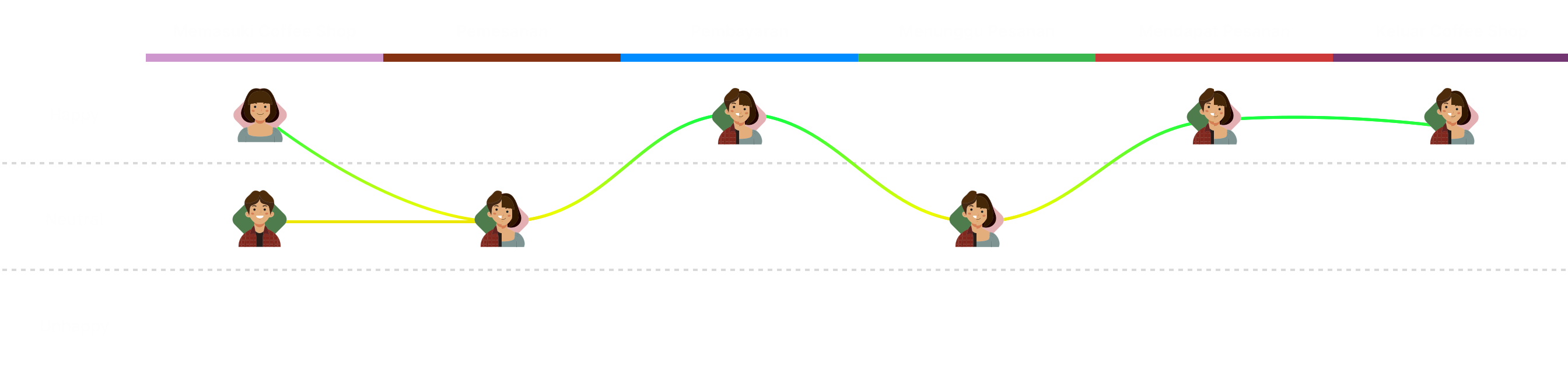
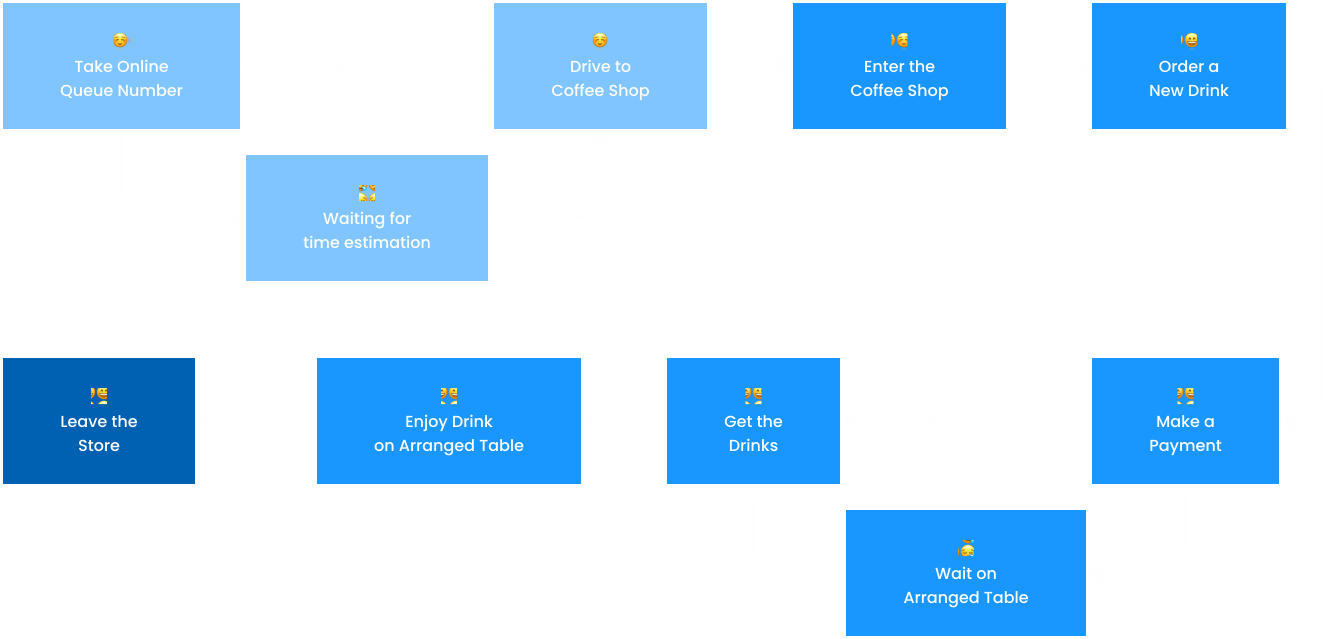
User Journey
Defining
User Flow
Flow Chart
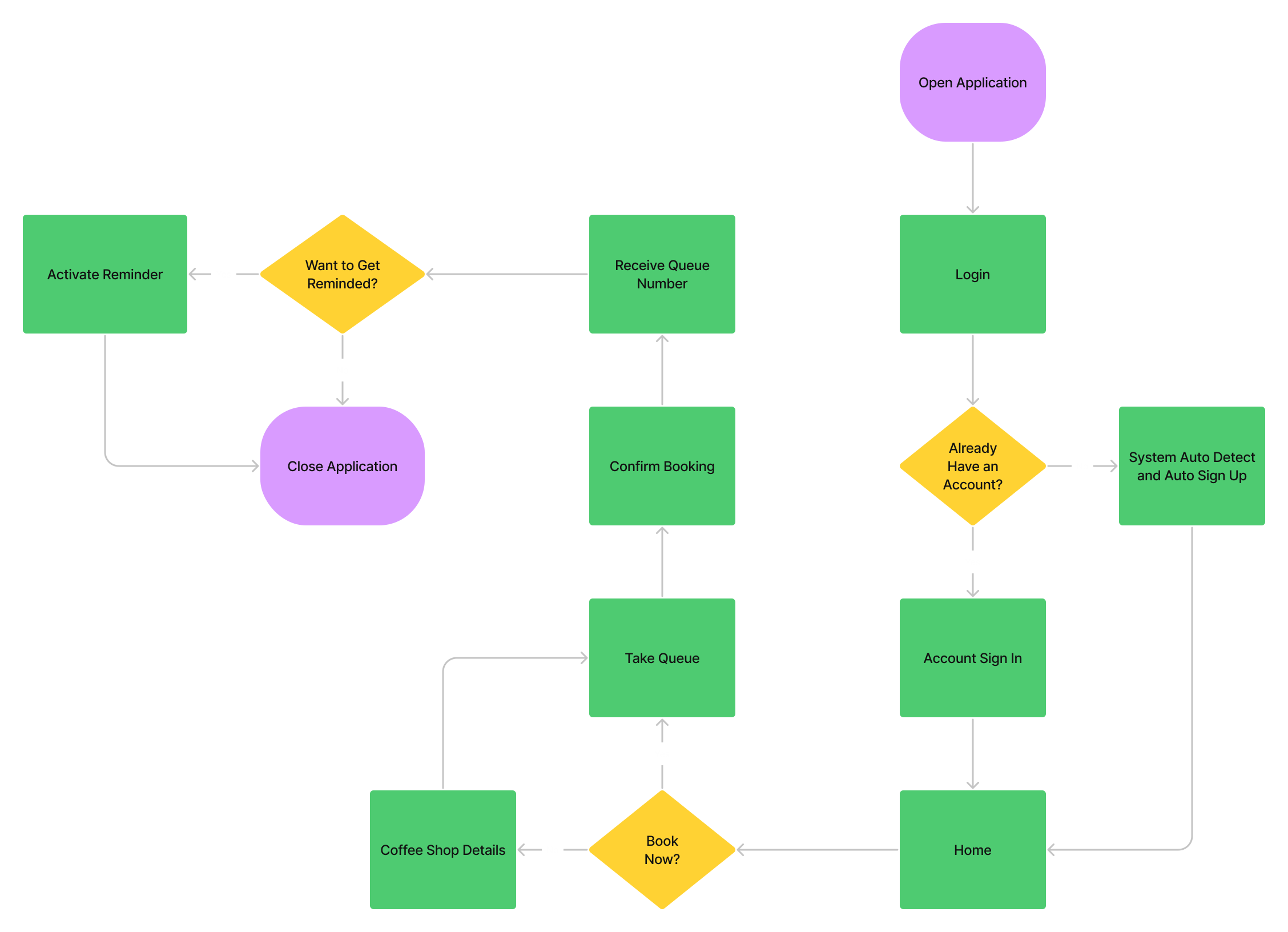
he flow that users need to go through needs to be simplified as much, so users don’t have to waste too much time while taking the queue number.
Based on that idea, I make the login process as fast as possible, only offering social media linked accounts, so users don’t have to retype their email and password just to take the online queue number.
Also, the user can choose whether they want to be reminded when the time has come, so they won’t forget to arrive when there are a lot of things to do.
Information Architecture
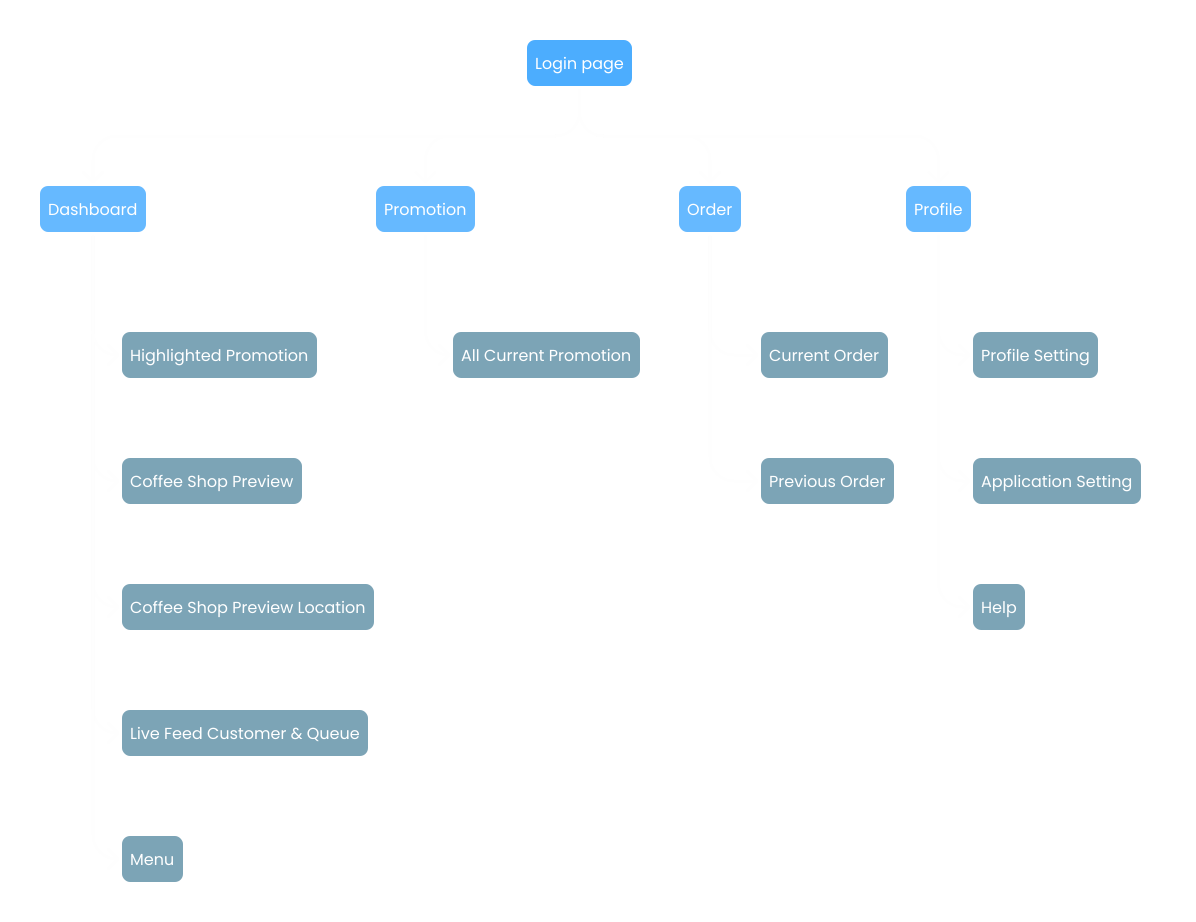
To minimize user effort in search for one particular information, I arranged the information architecture to give essential information on the dashboard or homepage, this way users don’t have to click anything unless to take a queue and look for a menu.
Design
Wireflow
People love simplicity, and as we know “less is more” brings me an idea to make users don’t have to spend more time inside the application. So I tried to make the application simple, fast, and of course, fulfill the user’s needs.
Take Queue
he purpose of this application is to make users can take queue numbers from mobile phones, so the process shouldn’t be complicated. These 3 simple steps fulfill the user’s needs, giving much information from visitor count, until the estimated time for the user to wait.
Menu
With the same idea of simplicity, I bring the idea into the menu function. This way, the user only needs to tap a button to see all the available menus at the coffee shop.
Moodboard
Before stepping on to the next phase, I look up references from Behance, this way I can shorten research about design concepts by using an acceptable design by many people.
Design System
Hi Fidelity Design
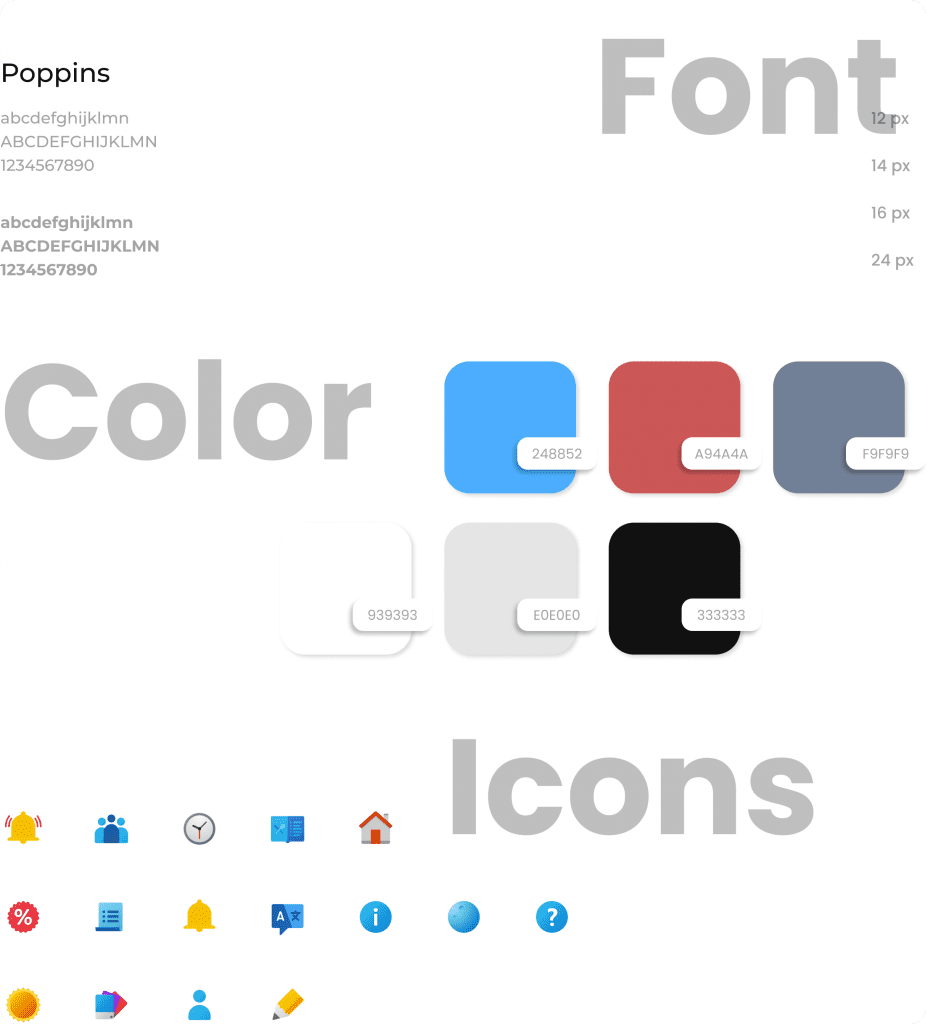
Based on the wire flow I made previously, I make it clear enough for the user to imagine if it were a real developed application. Here I choose blue ascent to be the primary color and use white to keep it clean.
Also, I use a fluent design icon pack to bring depth effect across the application and of course to be comfortable for user’s eyes to look at it.
Wait from anywhere
Using Angop, you can wait from anywhere you want!
I design the application so customers no longer need to wait outside the coffee shop. The customer simply have to take the queue from the application, and let go the rest.
Pick - Pack
Pick menu on-the-go
Traffic may break down your mood, but don’t let it be for long, just choose your desire menu and imagine you’ll gona have it right at the coffee shop.
Be Your Own Statistician
Who need number above graph?
For more detailing information about visitor count, we show the graph for today visitor and yesterday visitor, this way you can predict hour-by-hour for the rest of the day.
Prototype
To accommodate the testing phase, I create the application prototype based on the current Hi-Fi design. This way, I can conduct usability testing to understand whether the application is intuitive or not. Also using the prototype, the application will look very real, so the user can easily imagine how the product will become.
Testing
Usability Testing
A small coffee shop that started to have many customers and long queues due to the accumulation of the number of visitors at one time. This problem makes customers need to wait much longer just to have a seat in the coffee shop.
Scenario
There are two scenarios the user will go through,
Look for available information about the coffee shop
Take the online queue number
Respondent Criteria
To maximize the testing result, I specify the tester using this criteria list,
Any gender
In a range of 15 – 30 years old
Using iOS or Android mobile phone
Frequently go to a coffee shop
Testing the Application
Fortunately for me, there’s a native application called Figma Mirror, so I can run the prototype right on the phone, and it feels like an actual final application, only of course the data isn’t real. I tested the application on people around me with some scenarios that related to the user journey map.
Besides testing out face-to-face, I also use a website called maze to share the prototype with more people, that way, I can understand what people do on the application, what are they looking for, and whether they counter any confusion during taking the queue number.
Interview
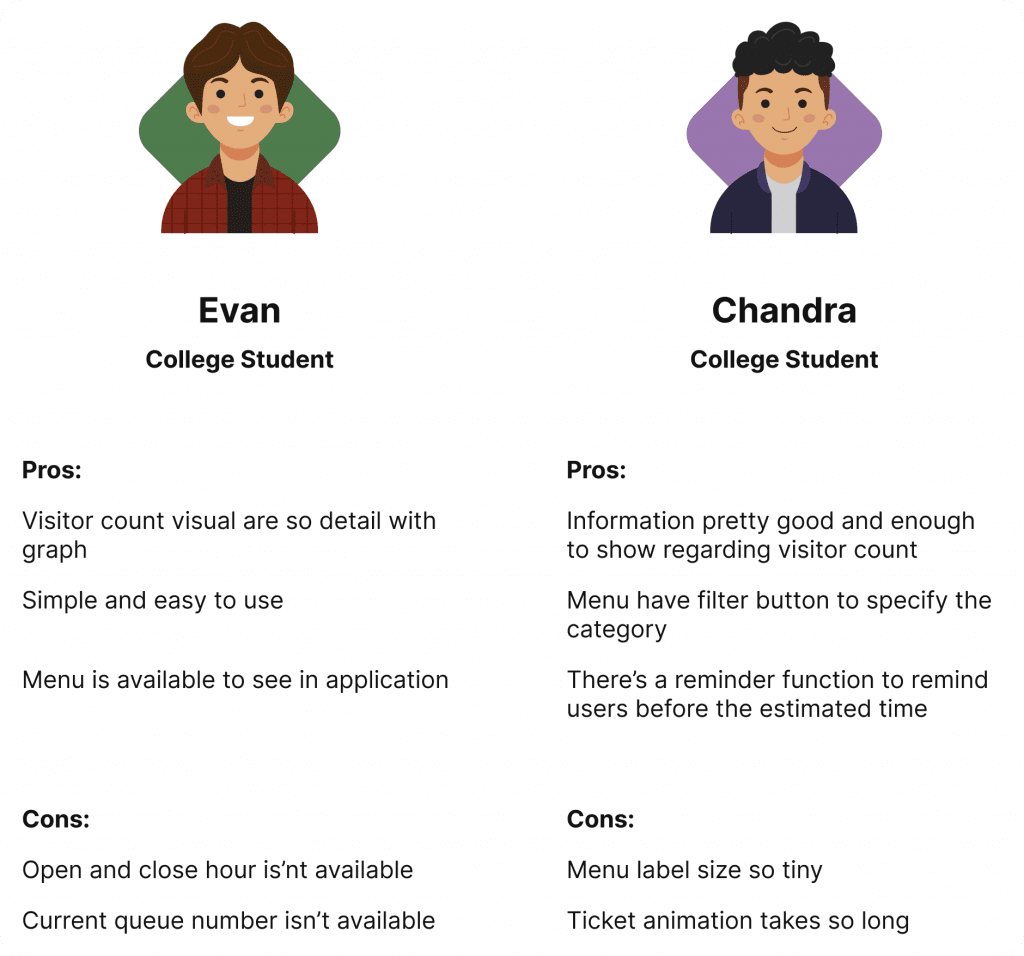
After doing testing with people around me, I asked them some questions related to their experience during exploring the application, this kind of interview can give me as the designer more information about the master plan versus the actual usage.
System Usability Scale
For a complete testing phase, I give them time to fill out some questionnaires using userpoll which leads me to the system usability scale result, to be more understanding about the overall performance of the application, whether they as the user want and keep using the application or presumably the application is not doing well to fulfill the user’s need.
Scenario 1
0
Scenario 2
0
Conclusion
Based on the testing result, Angop application has the potential to reduce customer pain when queueing at the coffee shop by letting customers take an online queue and look online menu. Yet this application still need some improvements and optimization in content and animation.
Thank you so much for reading through my second case study! Hope you enjoyed can understand my design and design process. ✨